The visual timer app for ADHD and classrooms
Hourpie is a visual countdown timer app for iPhone, iPad, and Android, coming soon to the App Store and Google Play. A colored pie shrinks as time passes, so you see how much time is left. It is free to use, with one optional$4.99 payment to unlock everything. It has no subscription and asks for no account. Your timers and history stay on your device.
The iPhone, iPad, and Android app is coming soon.
See your time
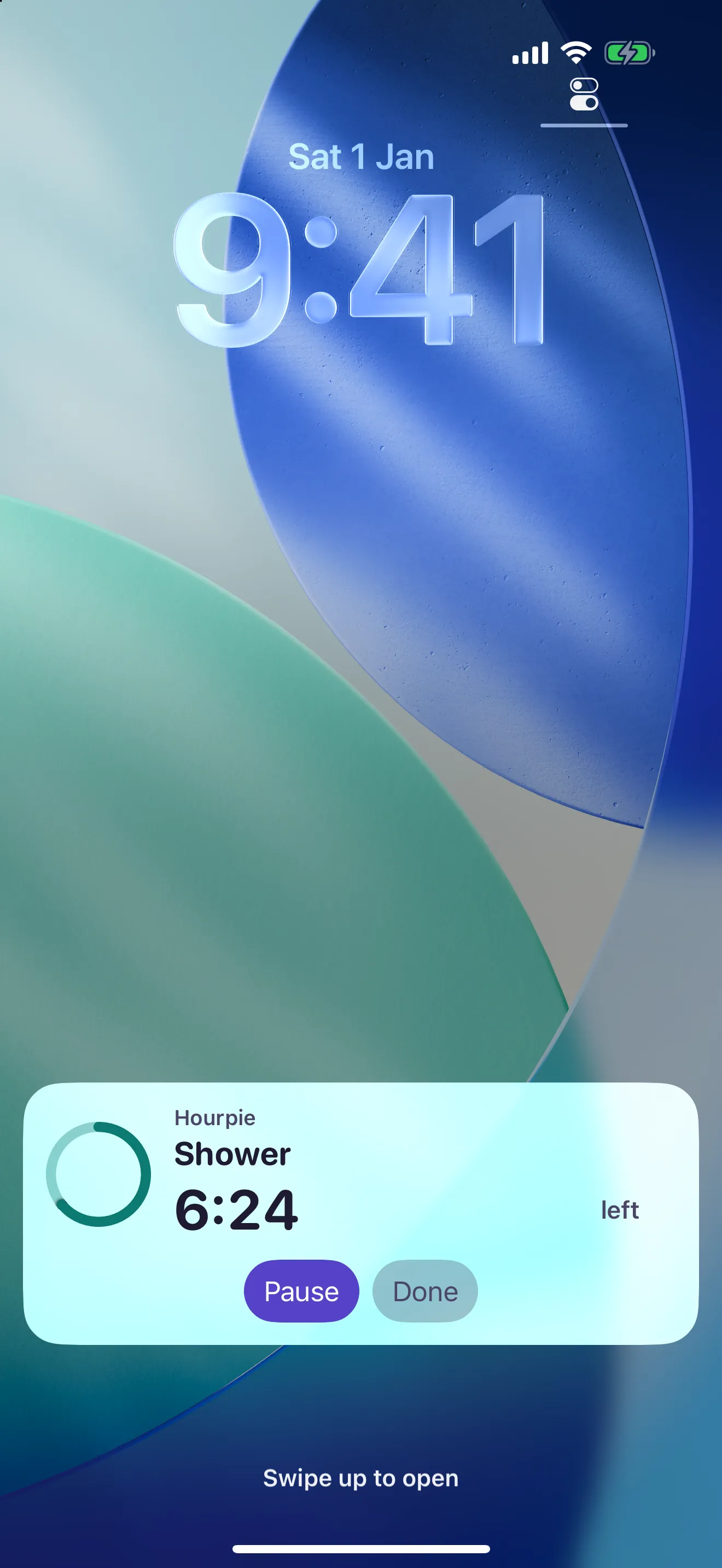
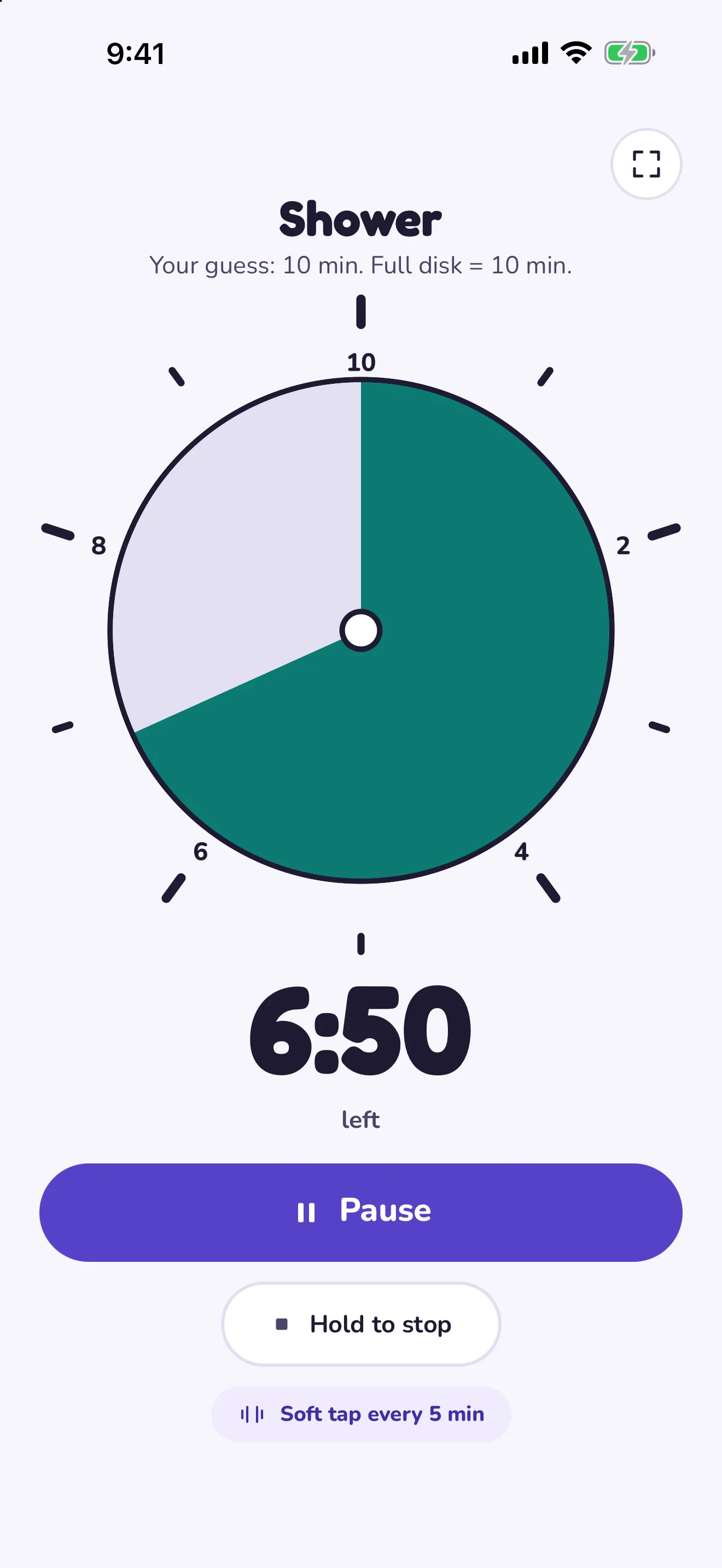
The pie shrinks as time passes. Haptic pulses mark your progress, so you can feel it without looking.
Start in one tap
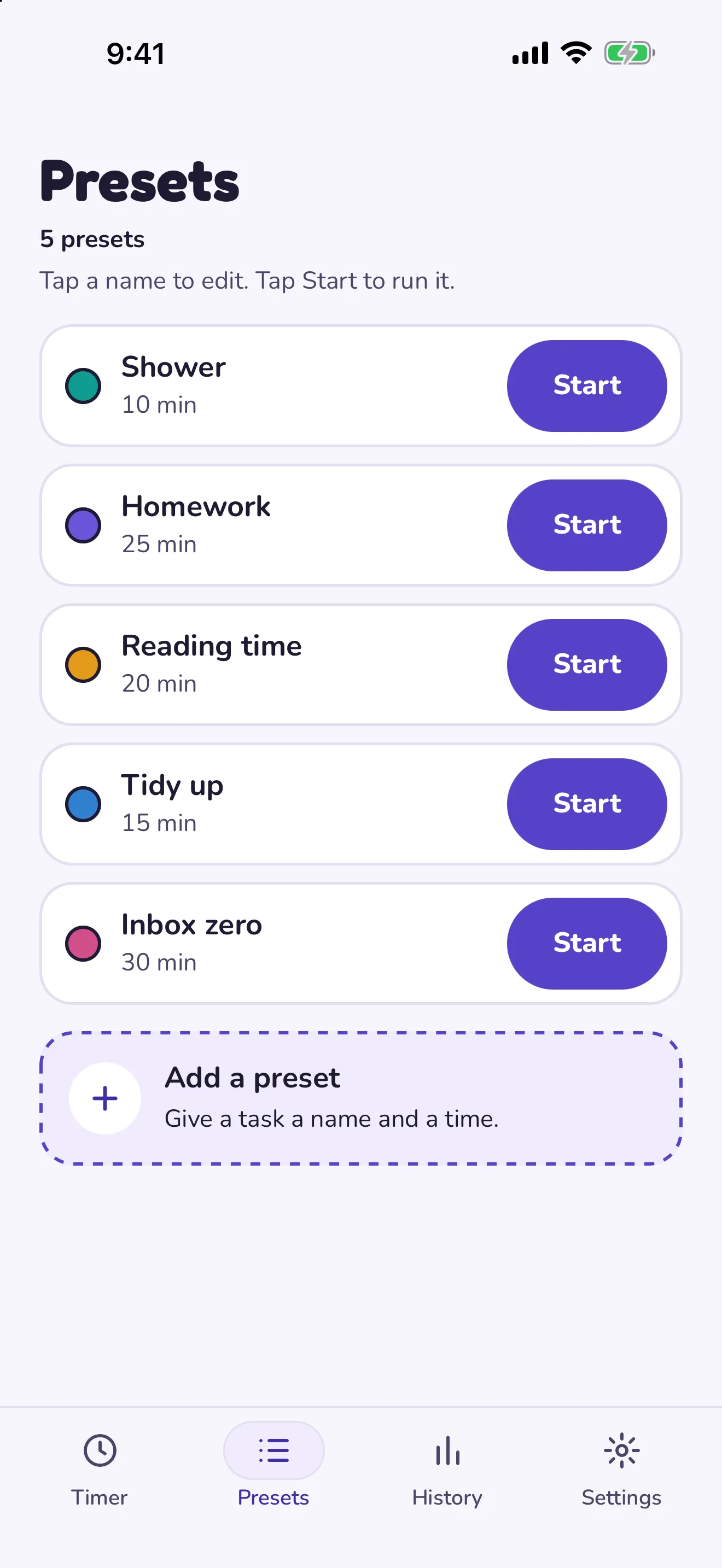
Save tasks with a length, such as "Homework, 25 minutes", and start them from the app or a home screen timer widget.
Learn how long things take
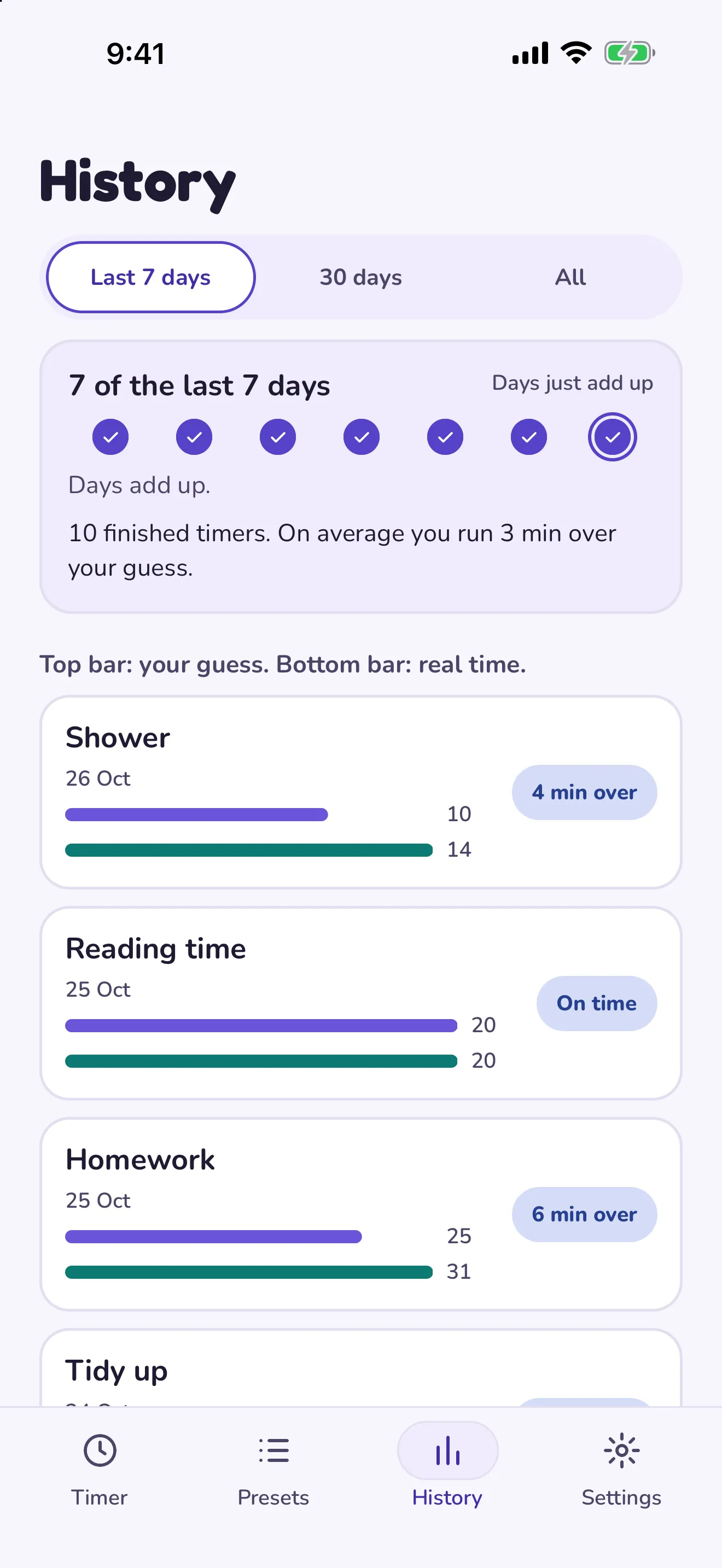
Each task shows your guess next to the real time. Streaks count your days and do not punish a missed one.
What is classroom mode?
Turn an iPad or Android tablet sideways and Hourpie fills the screen with a big pie and big digits. The high-contrast theme puts a yellow pie on black for projectors.
Try the free classroom timer in your browser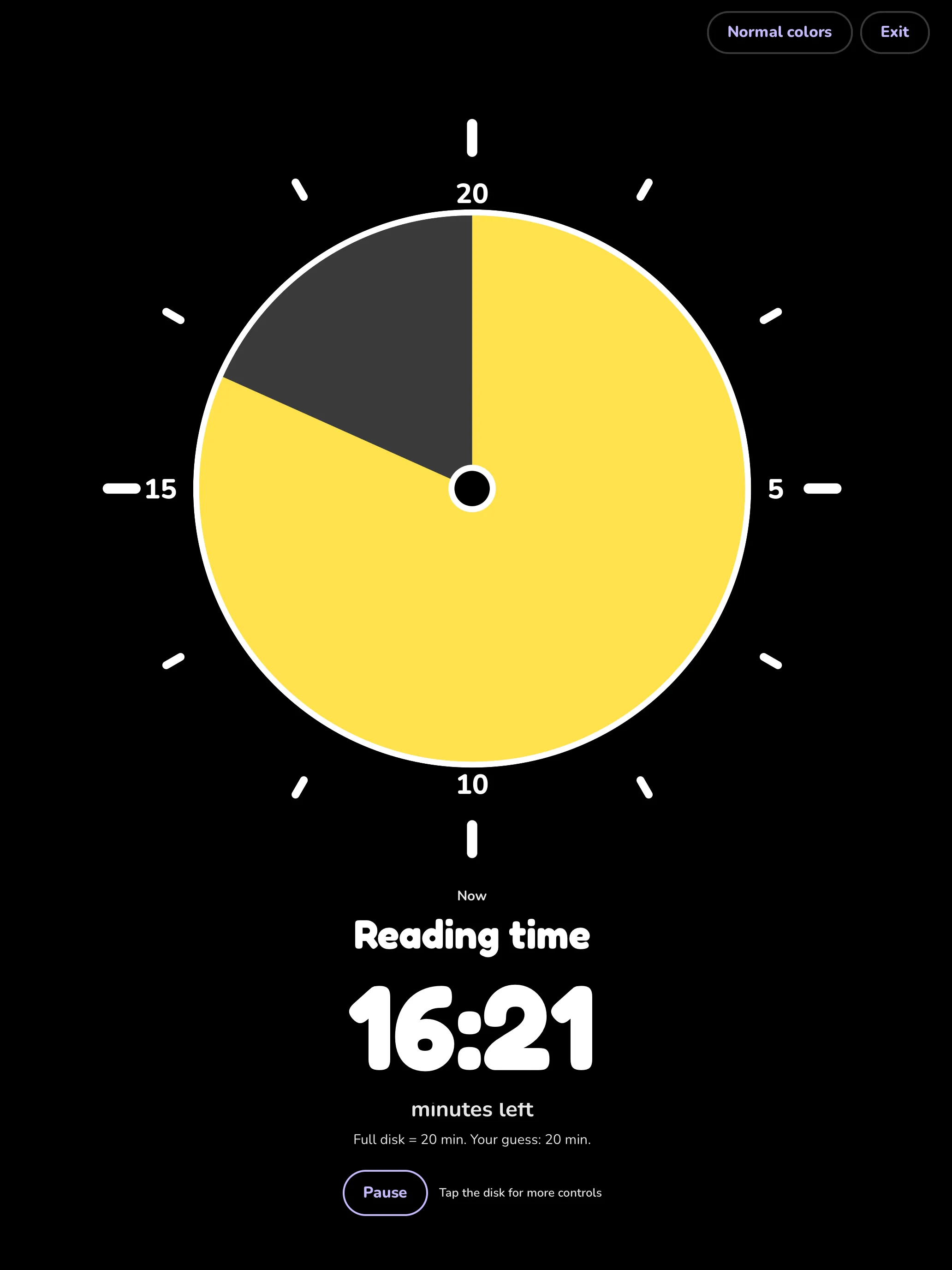
How much does Hourpie cost?
The core timer stays free. The lifetime unlock is one payment of $4.99 in the United States. The store shows the price in your currency. Seehow Hourpie compares with Time Timer, which charges $9.95 for its unlock.
| Feature | Free | Lifetime unlock, $4.99 |
|---|---|---|
| Visual timer, overtime mode, and classroom mode | Yes | Yes |
| Lock screen timer and widgets | Yes | Yes |
| Task presets | Up to 5 | Unlimited |
| Guess and real time log | Last 7 days | Full history and stats |
| Themes and sounds | 2 of each | All |
The iPhone, iPad, and Android app is coming soon.
Hourpie app questions
Is Hourpie free?
Yes. The visual timer, overtime mode, classroom mode, the lock screen timer, and widgets are free.
What does the lifetime unlock add?
One payment of $4.99 in the United States unlocks unlimited presets, your full history and stats, and every theme and sound. The store shows the price in your currency before you buy.
Is there a subscription?
No. You pay $4.99 once to unlock everything, or you keep using the free version.
Do I need an account?
No. Hourpie has no accounts. Your timers, presets, and history stay on your device. To restore the unlock on a new device, sign in with the same Apple account or Google account.
Does Hourpie work when the app is closed?
Yes. On iPhone, the countdown shows in a Live Activity on the lock screen and in the Dynamic Island. On Android, it shows in a notification. You get an alert when time runs out, even with the app closed.
Which platforms does Hourpie support?
The app runs on iPhone, iPad, and Android phones and tablets. The free web timer runs in any modern browser.
Why use the app when the web timer is free?
The web timer works while the tab is open. The app adds the lock screen countdown, widgets, alerts when the app is closed, saved presets, and a log of your guess against the real time.
Is Hourpie made for children?
Hourpie is made for adults and for teachers. Teachers can show classroom mode to a class.